
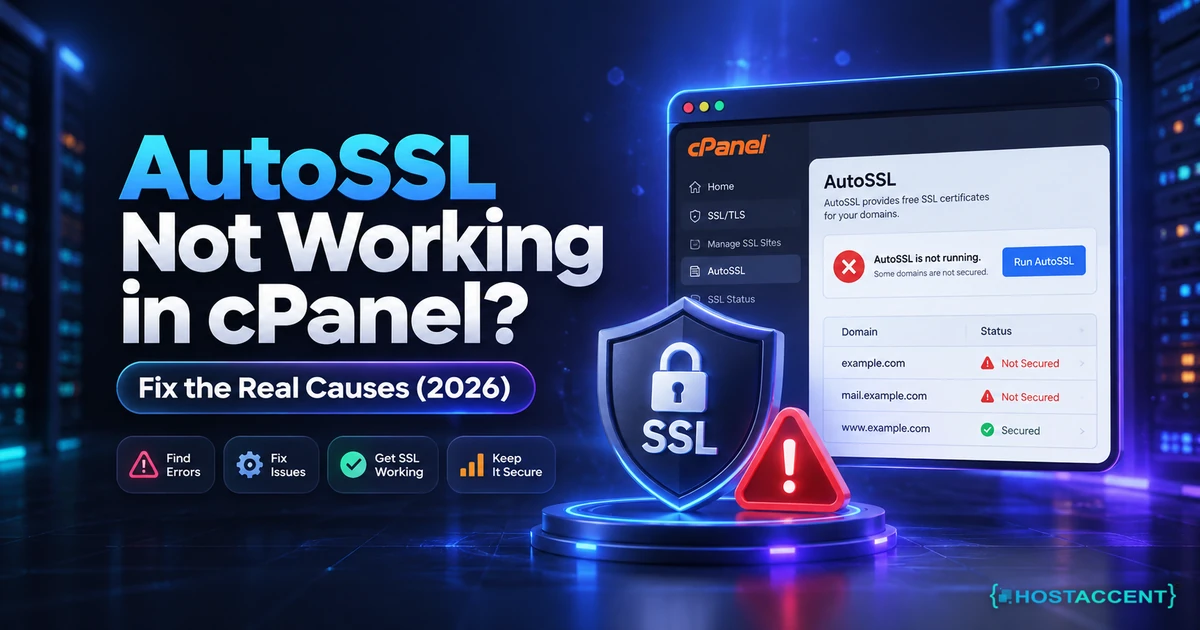
AutoSSL is supposed to be the part of cPanel you never think about. It notices a domain without a valid certificate, proves you control it, installs the certificate, and renews it before it expires. When it stops doing that, the first thing most people see is a browser warning on a site that was fine last week, and the SSL/TLS Status page showing a red cross next to a domain with no useful explanation attached to it.
Quick Answer: AutoSSL almost never fails at the certificate stage. It fails at Domain Control Validation (DCV), which is the check that proves the domain belongs to this server. Open WHM > Manage AutoSSL > Logs and read the last run. If it says the DCV file could not be fetched, the cause is an .htaccess redirect, a WAF or Cloudflare sitting in front of the validation path. If it says the domain resolves elsewhere, fix the A or AAAA record. If it names a CAA record or a rate limit, the certificate authority itself is refusing.
At Hostaccent we work through client server issues every day, and AutoSSL tickets follow a pattern: the domain is fine, the server is fine, and something small and invisible is blocking one specific HTTP request. This guide follows the order our engineers actually use, from reading the log to confirming the certificate is genuinely installed rather than merely reported as issued.
What AutoSSL Actually Does, and Where It Gives Up
AutoSSL is a scheduled job, not a live service. Once a day it walks every domain on the server, asks whether that domain has a valid certificate with enough life left in it, and if not, requests a new one from whichever provider is configured. The two providers you will see are cPanel's own (backed by Sectigo) and Let's Encrypt, and cPanel's AutoSSL documentation lists which builds ship with each. Both issue free domain-validated certificates, and both require the same thing before issuing: proof that the person asking actually controls the domain.
That proof is Domain Control Validation. AutoSSL writes a small file to a predictable path on your site, then requests that file over plain HTTP from the public internet. If it reads back what it wrote, validation passes. If anything at all interferes with that single request, validation fails and no certificate is issued.
| Stage | What happens | Where it usually breaks | | --- | --- | --- | | Discovery | AutoSSL lists domains needing a certificate | Domain excluded from AutoSSL | | DCV | Writes and fetches a validation file | Redirects, WAF, wrong DNS | | Issuance | CA signs the certificate | CAA record, rate limit | | Installation | Certificate installed on the vhost | Rare; usually permissions |
Almost everything labelled "AutoSSL not working" lives in row two. The certificate authority is willing, the server is willing, and one HTTP request is being answered by something other than the file AutoSSL just wrote.
Insider Insight: AutoSSL only acts when a certificate is within its renewal window, which is roughly the final third of its life. A domain that shows no certificate at all gets picked up on the next run, but a domain with 60 days left will be skipped entirely. If you just ran AutoSSL and "nothing happened", check the expiry date before assuming it failed.
Read the AutoSSL Log Before You Change Anything
The single biggest time-waster on these tickets is guessing. cPanel writes a detailed log for every run, and it names the failure precisely. Open WHM > SSL/TLS > Manage AutoSSL > Logs, pick the most recent run, and read it from the bottom up. On a VPS with root access you can read the same files directly:
bashls -lt /var/cpanel/logs/autossl/ | head tail -100 /var/cpanel/logs/autossl/$(ls -t /var/cpanel/logs/autossl/ | head -1)
Four messages cover the overwhelming majority of real failures, and each one points somewhere different:
- "The system failed to fetch the DCV file" — the validation request did not come back correctly. Redirect, firewall or WAF.
- "does not resolve to any IP address on this server" — DNS is pointing the domain somewhere else.
- "CAA record ... forbids issuance" — the domain's DNS explicitly bans this certificate authority.
- "too many certificates already issued" — you have hit a rate limit at the provider.
If you are on shared hosting without WHM access, cPanel's own SSL/TLS Status page shows a shorter version of the same reason when you hover the red cross beside a domain. It is less detailed, but it still tells you which of the four families you are in, which is enough to pick the right fix instead of trying all of them.
Pro Tip: Read the log for the whole run, not just your domain. A run that dies partway through leaves every domain after it untouched, so your site may be failing simply because something else on the server failed first and the job never reached you.
DCV Failures: Why the Validation File Cannot Be Fetched
This is the big one. AutoSSL writes its file to /.well-known/pki-validation/ or /.well-known/acme-challenge/ inside the document root, then fetches it over HTTP on port 80. Anything that changes the answer to that request breaks validation, and there are four usual suspects.
A redirect that fires too early. The most common cause by far. An .htaccess rule that forces HTTPS, forces www, or redirects the whole site somewhere else will catch the validation request too. AutoSSL follows redirects, but if the destination cannot serve the file, or serves it over a certificate that is already invalid, the check fails. The fix is to let the validation path through before any redirect runs:
apacheRewriteEngine On RewriteRule ^\.well-known/ - [L] RewriteCond %{HTTPS} off RewriteRule ^(.*)$ https://%{HTTP_HOST}/$1 [R=301,L]
Cloudflare in front of the domain. With the proxy enabled and "Always Use HTTPS" turned on, Cloudflare answers the validation request with a redirect before it ever reaches your server. Temporarily pausing the proxy for that hostname, or adding a page rule that disables the redirect for /.well-known/*, lets the run complete.
A security plugin or WAF. Wordfence, mod_security and similar tools routinely block requests to paths that look unusual. Check the cPanel error log for a 403 timed to the AutoSSL run.
A stale or wrong document root. If the domain was moved, the vhost may still point at a directory the site no longer uses. AutoSSL writes the file to the configured root while the live site serves from somewhere else.
Test it yourself before rerunning anything. Drop a file in place and request it exactly as AutoSSL would:
bashmkdir -p ~/public_html/.well-known/pki-validation echo "autossl-test" > ~/public_html/.well-known/pki-validation/test.txt curl -sIL http://yourdomain.com/.well-known/pki-validation/test.txt | head -20
If that returns 200 and the body is your text, DCV will pass. If you see a 301 to HTTPS, a 403, or a Cloudflare header, you have found the cause.
Still blocked at Cloudflare?
Send the error code, affected hostname, and recent DNS or SSL changes. We will separate edge, origin, firewall, and certificate causes before proposing work.
CAA Records, DNS Mismatches and Domains Pointing Elsewhere
The second family of failures has nothing to do with your server at all. It is DNS refusing, in one way or another, to cooperate.
The domain resolves somewhere else. AutoSSL will not issue a certificate for a domain that does not point at this server, because it cannot prove control of a site it is not hosting. This is normal and expected during a migration, and it resolves itself once DNS moves. If the site looks live to you but AutoSSL disagrees, you may be seeing a cached record locally while the authoritative answer still points at the old host. Our guide on what to check when a domain is not propagating covers how to read the authoritative answer rather than your own cache.
The AAAA record nobody remembers. This one costs people days. The A record points correctly at the new server, but an old AAAA record still points at the previous host. Validation requests made over IPv6 reach the wrong machine and fail, while every browser test you run over IPv4 looks perfect. Check both:
bashdig +short A yourdomain.com dig +short AAAA yourdomain.com
If the AAAA record is stale, delete it or correct it. Everything else can be configured perfectly and AutoSSL will still fail while it stands.
A CAA record that bans your provider. CAA records tell certificate authorities which of them are allowed to issue for your domain. If a record names one authority and AutoSSL is configured to use another, issuance is refused outright and correctly. Check what is published:
bashdig +short CAA yourdomain.com
An empty result means no restriction, which is fine. If records exist, they must include the authority in use, and Let's Encrypt's CAA documentation lists the exact value their issuance requires. Either add the missing entry or switch AutoSSL to the provider your CAA record already permits, in WHM > Manage AutoSSL > Providers.
Rate Limits, Excluded Domains and Proxy Subdomains
The last family is the one that makes AutoSSL look broken when it is behaving exactly as designed.
Rate limits. Let's Encrypt allows a limited number of certificates per registered domain per week, plus a tighter limit on identical duplicate certificates and on failed validations per hour. Repeatedly clicking "Run AutoSSL" while a DCV problem is unfixed is the fastest way to hit the last of these, at which point you are locked out for an hour and the log message changes to something that looks worse than the original fault. The published thresholds are in the Let's Encrypt rate limit documentation. Fix the underlying cause first, then run once. It is the advice Hostaccent engineers give on almost every one of these tickets, because a rate limit turns a ten-minute fix into an hour of waiting.
Excluded domains. cPanel keeps a per-account exclusion list, reachable from SSL/TLS Status by looking for domains marked as excluded from AutoSSL. A domain lands there when someone clicked the exclude option to silence a recurring warning, often months earlier. Nothing in the log explains this well, and the domain simply never appears in a run. Check the list before anything else if one domain fails while every other domain on the same account succeeds.
Proxy subdomains eating the run. cPanel auto-creates service subdomains such as cpanel., webmail., mail. and autodiscover. for each domain. If those are not in DNS, their DCV fails, and the run reports failures that have nothing to do with your actual website. The site itself may already hold a perfectly valid certificate. Read which hostnames failed before concluding the domain is unprotected. On Hostaccent's shared servers this is the single most common reason a status page looks alarming while every visitor-facing domain is already secured.
Pro Tip: A failed run that lists only service subdomains is usually not worth chasing. Either publish the missing DNS records or disable proxy subdomain inclusion in WHM, rather than letting a permanently red status page train you to ignore real failures.
Run AutoSSL Again and Confirm It Really Issued
Once the cause is fixed, trigger a run rather than waiting for the daily schedule. In WHM, use Manage AutoSSL > Manage Users and run for the affected account. With root shell access:
bash/usr/local/cpanel/bin/autossl_check --user=USERNAME
Then verify from outside the server, because a green status page is not proof that browsers agree. The server can hold a valid certificate while visitors still see a warning, usually because an intermediate certificate is missing or a proxy is serving something older:
bashecho | openssl s_client -connect yourdomain.com:443 -servername yourdomain.com 2>/dev/null | openssl x509 -noout -issuer -dates
That returns the issuing authority and the validity window as presented to the public. If the dates are current and the issuer is the provider you expect, AutoSSL has done its job. If the certificate is valid but browsers still complain, the problem has moved on to a different layer, and our guides on fixing the not secure warning in Chrome and repairing an incomplete certificate chain cover what to check next. If the certificate is self-signed rather than issued, the self signed certificate error guide explains why cPanel fell back to one.
For a domain that needs a certificate today while you sort out a stubborn DCV problem, installing one manually is a reasonable stopgap, and our walkthrough on how to install an SSL certificate in cPanel covers that path.
Your Next Step: A Server Where SSL Just Renews
Here is what to take away:
- Read the AutoSSL log first; it names the cause precisely.
- Most failures are DCV, and most DCV failures are a redirect.
- Check the AAAA record, not just the A record.
- A CAA record can ban your provider silently.
- Stop clicking "Run AutoSSL" until the cause is fixed.
AutoSSL is only as reliable as the stack underneath it, and on a well-configured server it genuinely is something you never think about again. Our shared plans run cPanel with AutoSSL enabled, free SSL, NVMe storage, a 99.99% uptime guarantee and 24/7 support from our own engineers, starting at Economy — $1.99/mo, which renews at the same price rather than jumping in year two. One honest limit: Economy is sized for a single site, so for several client domains Standard at $4.58/mo is the sensible pick. When you are ready, start on the Economy plan, tell Hostaccent which log message you are seeing, and there is a 30-day money-back guarantee.
Frequently Asked Questions About AutoSSL Not Working
Why is AutoSSL not working on only one of my domains?
Because the fault is almost always domain-specific rather than server-wide. Check three things in order: whether that domain sits on the AutoSSL exclusion list, whether its A and AAAA records both point at this server, and whether it carries a CAA record the others do not. A single domain failing while its neighbours succeed rules out server configuration entirely and points at DNS or an exclusion somebody set months ago.
How long does AutoSSL take to issue a certificate?
A successful run usually completes within a few minutes, and the certificate is installed immediately afterwards. The delay people notice is the schedule rather than the issuance: AutoSSL runs roughly once a day, so a domain fixed in the morning may not be picked up until the following run. Triggering a manual run from WHM avoids the wait entirely and produces a fresh log you can read straight away.
Does AutoSSL work with Cloudflare enabled?
Yes, but only if the validation request can reach your origin server. With the orange cloud on and "Always Use HTTPS" enabled, Cloudflare answers the DCV request itself and the check fails. Add a rule that exempts /.well-known/* from the HTTPS redirect, or pause the proxy briefly while the run completes. Once the certificate is issued, re-enabling full proxying causes no further problems.
What does "DCV check failed" actually mean?
It means AutoSSL wrote a validation file to your document root, requested it over plain HTTP, and did not get that file back. The certificate authority never refused anything, because the request never got far enough to ask. The cause is on the path between the public internet and your document root: a redirect, a firewall rule, a WAF, a proxy, or a document root that is no longer the one your site serves from.
Can I use Let's Encrypt instead of the default cPanel provider?
Yes. WHM > Manage AutoSSL > Providers lets you switch, and the Let's Encrypt provider is available as a cPanel plugin on most modern builds. Switching is worth doing when a CAA record already names Let's Encrypt, or when you have hit a limit with the default provider. The DCV process is identical either way, so a switch will not rescue a domain failing validation for the reasons above.
Is it safe to leave a domain excluded from AutoSSL?
Only if that domain genuinely has a certificate from somewhere else, such as a commercial certificate you installed manually. An excluded domain is never checked and never renewed, so an exclusion set to silence a warning quietly guarantees an expired certificate later. If you find an exclusion nobody can explain, remove it, fix whatever was failing, and let AutoSSL manage the domain again.
Written and reviewed by The Hostaccent Team, hosting since 2016 and UK-incorporated in 2018 (Companies House No. 11431799), with 10,000+ clients served across 14 datacenter locations. Updated September 2026.




Discussion
Have a question or tip about this topic? Share it below — your comment will appear after review.