
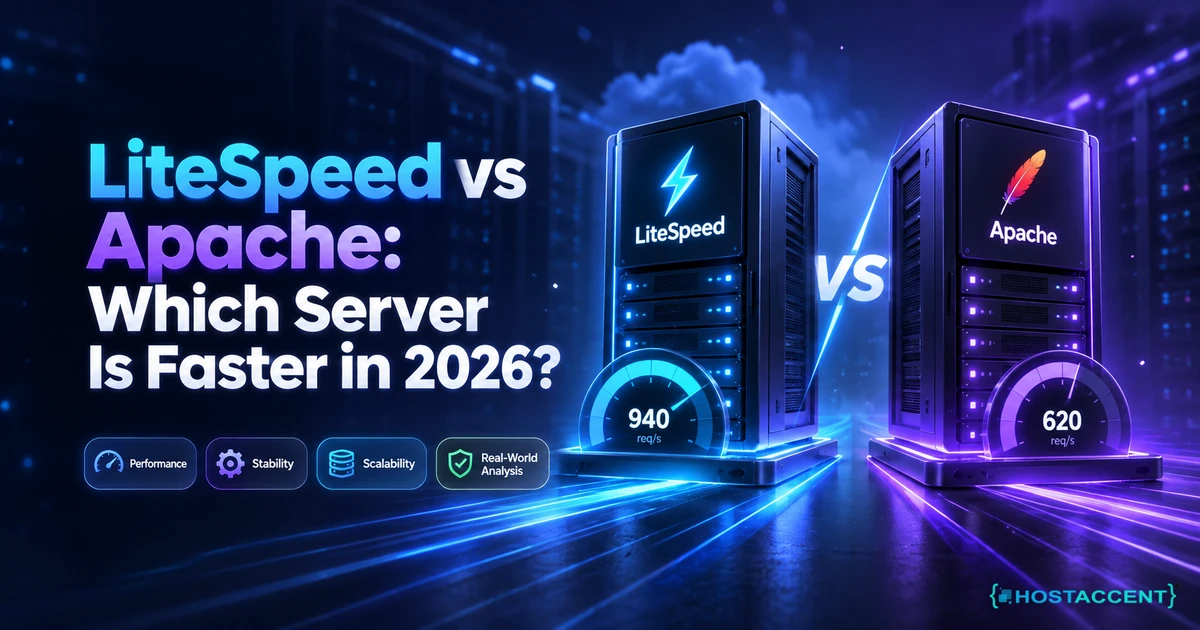
Quick Answer (as of September 2026): LiteSpeed is faster than Apache for most WordPress sites, but the gap is much smaller than the marketing suggests. On matched hardware with caching switched off, independent 2025 testing put LiteSpeed at roughly 8,233 static requests per second against Apache's 7,508, about 10% better. The famous 6x and 12x figures come from LSCache, not from the server binary itself.
So the real LiteSpeed vs Apache question is not "which binary wins a lab test". It is "which one is handling your caching, and is your caching even switched on".
That distinction matters more than any benchmark chart. Our team works through 20 to 30 client site issues a day, and in the Hostaccent queue the honest answer to "should I move to a faster web server?" is usually "not yet". Nine times out of ten the culprit turns out to be an unconfigured cache, an old PHP version, or a database that nobody has looked at since launch.
Below you get the architecture difference in plain language, the benchmark numbers with their caveats attached, a three-request test that tells you in about sixty seconds whether your problem is the server or the software on top of it, and a straight answer on when a switch is genuinely worth the disruption.
LiteSpeed vs Apache: Where the Speed Difference Actually Comes From
The gap is architectural. Apache, in its traditional prefork and worker configurations, assigns a process or thread to each connection. LiteSpeed uses an event-driven model, where a small number of workers juggle thousands of connections at once. Under light load you will barely notice. Under a traffic spike, the process-based model runs out of memory long before the event loop runs out of capacity.
There are three concrete differences worth knowing.
Connection handling. The Apache HTTP Server documentation describes several multi-processing modules, and a well-tuned event MPM closes a good part of the gap. Most shared servers still run something more conservative, which is where the difference shows up.
PHP execution. Apache typically talks to PHP through PHP-FPM or mod_php. LiteSpeed uses LSAPI, which keeps persistent PHP processes warm and cuts the per-request handshake. On dynamic pages this is where most of the measurable win sits.
Built-in caching. This is the big one. The LiteSpeed web server ships with a cache module baked into the server itself, so a cached page never touches PHP at all. Apache has no equivalent built in. You bolt on Varnish, or a plugin, or a reverse proxy.
Compatibility is the pleasant surprise for anyone nervous about moving. LiteSpeed reads Apache configuration files, including .htaccess, so your existing rewrite rules and 301 redirect htaccess rules carry over untouched. That is deliberate: it was designed as a drop-in replacement rather than a rebuild.
Adoption reflects all of this. As of the W3Techs survey dated 13 June 2026, Apache sits at 23.0% of tracked sites and LiteSpeed at 15.2%, up from just 2.1% in January 2015. Apache is not dying, it is being retired slowly from the performance-sensitive end of the market while it keeps its grip on legacy applications and panel-based hosting.
Pro Tip: Before you blame the web server, check which PHP version you are on. Sites still running PHP 7.4 in 2026 are leaving a larger speed gain on the table than any Apache-to-LiteSpeed move will give them, and the upgrade costs nothing.
What the Benchmarks Really Show, and What They Hide
Here is the number nobody puts in a headline. In independent benchmark testing published in 2025 across six web servers on identical hardware, Apache managed 7,508 static requests per second and LiteSpeed 8,233. Under high concurrency the spread widened, 6,384 against 7,721, with average latency of 312.5ms for Apache versus 278.9ms for LiteSpeed. Meaningful, but not the tenfold leap the ads promise.
So where do the enormous multiples come from? Almost all of them are vendor-run WordPress tests comparing LiteSpeed with LSCache against Apache without a comparable full-page cache, or against a PHP-level plugin. The vendor's own published WordPress benchmark, for example, reported roughly 15,883 requests per second for OpenLiteSpeed against 3,203 for Apache with a caching plugin. That test is real, but it is measuring caching strategy, not raw server throughput, and it was run by the company selling the server.
Any honest openlitespeed vs apache comparison has to separate those two claims. Server-to-server, the difference is somewhere between 10% and 20% on static content and larger on uncached PHP. Cache-layer to cache-layer, the difference can be an order of magnitude, and that is the number that actually changes what your visitors feel.
| Test (matched hardware, 2025 independent testing) | Apache | LiteSpeed | Practical read | | --- | --- | --- | --- | | Static file throughput | 7,508 RPS | 8,233 RPS | ~10% edge, invisible on a low-traffic site | | High-concurrency throughput | 6,384 RPS | 7,721 RPS | Matters during spikes and bot storms | | Average latency under concurrency | 312.5ms | 278.9ms | Both fine when cached, both poor when not | | Cached WordPress (vendor-published) | ~3,200 RPS | ~15,900 RPS | Measures the cache layer, not the binary |
The takeaway is uncomfortable for both camps. If your pages are properly cached, visitors will struggle to tell the two apart on a small site. If nothing is cached, both servers hand every request to PHP and your slow page stays slow. Google's own web.dev performance guidance makes the same point in a different vocabulary: server response time is one input among several, and it rarely fails alone.
Do I actually need a LiteSpeed host for one small WordPress site?
Probably not, and here is the shortcut we use before recommending anything. We call it the Cold-Cache Test, three requests, about sixty seconds.
- Request your homepage logged out and record the time to first byte.
- Check the response headers for a cache hit,
x-litespeed-cache: hitor your plugin's equivalent. - Request an uncacheable URL, a cart page or
/?nocache=1, and record TTFB again.
If the cached figure is quick and the uncached one is slow, your bottleneck is PHP and the database. A different web server will not save you. If both are slow, the host is the problem, and that is when a move is worth costing out.
LiteSpeed Cache for WordPress vs a Page Cache Plugin
Server-level caching beats plugin-level caching because of where it sits. A page cache plugin lives inside WordPress. Even when it serves a saved HTML file, PHP still boots to make the decision. Server-level caching answers the request before WordPress exists in memory for that visitor, which is why the same page can drop from hundreds of milliseconds to tens.
That is the whole argument for LiteSpeed cache for WordPress in one paragraph. The plugin is free, and on a LiteSpeed server it hooks straight into the server's cache engine. Premium alternatives run around $59 a year and work anywhere, which is exactly why they exist: they solve the problem for the majority of sites still on Apache or Nginx.
One detail catches people out constantly. Install the LiteSpeed plugin on Apache hosting and it degrades to an ordinary PHP-level cache. You keep the image optimisation and the minification, you lose the thing you installed it for. The WordPress documentation on caching is worth a read before you switch plugins on a live site.
Dynamic pages are where the distinction earns its keep. A WooCommerce store cannot cache the cart, the checkout, or a logged-in session as one shared file. Server-level caching handles this with private caching and edge-side includes, so the product grid stays cached while the cart stays personal. A plugin cache usually gives up and excludes the whole template.
Across the 4,000+ sites Hostaccent has migrated since 2016, the step people most often get wrong when moving to a cached stack is leaving the old plugin active alongside the new one. Two cache layers fighting over the same HTML produces stale prices, logged-in users seeing someone else's cart, and mystery 404s that vanish on a hard refresh. Deactivate the old one first, always.
Insider Insight: If your site started throwing odd errors right after a cache change, check the cache before the code. A surprising share of the 400 Bad Request errors we see traces back to a stale cached response or an oversized cookie, not to anything broken in WordPress.
Still chasing the performance bottleneck?
Share the slow pages, timing data, and recent changes. We can isolate application, database, network, and server bottlenecks before recommending work.
What Actually Makes a Hosting Plan Fast (The Buyer's Framework)
Web server choice is maybe the fourth most important thing on this list. In our experience the cache header is the fastest tell, but when clients ask what to compare between plans, these are the specs that actually change page load:
- Storage type. NVMe SSD over SATA. Database-heavy sites feel this immediately.
- A real cache layer. Server-level, not just a plugin. This is the single largest lever.
- CPU allocation. An oversold server is slow on any web server software.
- Current PHP. PHP 8.3 against 7.4 is a genuine step change on WordPress.
- Edge and DNS. A CDN plus fast DNS resolution. Cloudflare's caching explainers cover the mechanics well, and DNS misconfiguration is behind a lot of "the site is down" panic, including the dns_probe_finished_nxdomain error.
- Backups and support. Speed is worthless if a bad plugin update takes you offline for a day.
Compared at a matched entry tier, as of September 2026:
| Plan (entry tier) | Price/mo | Renewal price | Web server + cache | What the price includes | | --- | --- | --- | --- | --- | | Hostaccent Economy | $1.99 | $1.99, flat | Cloudflare to Nginx to Apache, NVMe SSD, server-side caching | Managed control panel, free SSL, daily backups, 99.99% uptime guarantee, 30-day money-back, support answered by our own engineers | | Typical budget shared plan | ~$2.95 intro | commonly $8 to $12 after the intro term | LiteSpeed Enterprise + LSCache | Managed panel, intro rate usually tied to a 3-year prepayment | | Self-managed VPS, OpenLiteSpeed | ~$5.50 | ~$5.50 | OpenLiteSpeed, you install and maintain it | An empty box you administer yourself, control panel licence sold separately |
Run the total cost properly and the sticker prices reshuffle. That $5.50 VPS is a bare machine. Add a commercial control panel licence, which runs around $35 a month for cPanel's entry cloud tier at 2026 list pricing, and you are at roughly $40 before you have installed anything. LiteSpeed Enterprise licences start near $11 a month for a site-owner tier and climb from there. Then add your own hours: patching, mail, firewall rules, backup testing. The budget shared plan looks cheaper than the Economy plan for the first term, then commonly triples on renewal. Managed hosting at a flat rate is not the cheapest line on the page, it is the cheapest line once the other columns are filled in.
Should You Switch From Apache to LiteSpeed?
Switch when your traffic outgrew your cache, not when a benchmark chart impressed you. The move genuinely pays off in three situations: sustained concurrent traffic, a store with uncacheable dynamic pages, or a shared server where PHP processes are the bottleneck. It rarely pays off for a brochure site doing a few hundred visits a day, which is most of the sites asking the question.
If you decide to switch from apache to litespeed, the good news is that it is one of the least disruptive server moves available, because .htaccess and mod_rewrite rules carry across. The practical sequence:
- Take a full backup and verify you can restore it, not just that the file exists.
- Note your current PHP version and extensions from the PHP manual compatibility notes.
- Deactivate the existing page cache plugin completely.
- Move, then install the matching cache plugin and let it build.
- Re-test TTFB cached and uncached, then check the cache hit header.
- Test checkout, contact forms, and logged-in pages before you point DNS.
Skipping step 6 is how people discover their forms broke, and how a launch turns into a scramble through site can't be reached errors at the worst possible moment.
Best pick by use case, plainly:
- A small business site or portfolio. Stay where you are and fix caching first. If you are still deciding whether the site is worth the investment at all, that question deserves its own answer.
- A busy blog or news site. Server-level caching gives the largest gain per pound spent. Worth moving.
- WooCommerce or membership. The strongest case for switching, because private caching handles what plugins exclude.
- A developer running a custom app. Judge on your stack, not on WordPress benchmarks. Apache's module ecosystem is still deeper.
- A self-managed VPS on a tight budget. OpenLiteSpeed is free and close to the paid build in throughput, but you carry the administration yourself.
Pro Tip: Never migrate on a Friday, and never change the web server and the PHP version in the same window. When something breaks you will not know which change caused it, and you will end up rolling back both.
The Renewal-Price Reality Nobody Puts in the Table
Comparison tables show introductory pricing because introductory pricing sells. The number that actually governs your budget is what the plan costs in year two, and it is usually printed several clicks away in the terms.
The pattern is consistent across the budget end of the market. A plan advertised near $2.95 a month, billed as a three-year prepayment, commonly renews between $8 and $12. Over five years that is a considerably larger bill than the headline implied, and the switching cost is high enough that most people simply pay it. Migration friction is part of the pricing model, which is precisely why the intro discount can be so aggressive.
Ask three questions before you buy anything, whichever web server it runs:
- What is the exact renewal rate, in writing, not "standard rate"?
- What is the billing term required to get the advertised price?
- What happens to my backups and my SSL if I leave?
Our own plans are priced to make that conversation short. Economy is $1.99 a month and renews at $1.99. Standard is $4.58 and renews at $4.58. Ultimate is $6.50 and renews at $6.50. The price you sign up at is the price on the invoice in year five, which removes the single most common unpleasant surprise in this industry.
There is a trade-off worth naming honestly. Flat pricing means the entry plan is not the cheapest first-year number you will find. Someone prepaying three years elsewhere will pay less in year one. They will also be the person searching for migration help in month thirty-seven. Choose deliberately, either way.
Your Next Step: Hosting That Passes the Cold-Cache Test
Now that you know the LiteSpeed vs Apache gap is mostly a caching story, you have two options: spend a weekend testing cache layers and PHP versions yourself, or start on a stack where the caching, NVMe storage and free SSL are already configured. The Economy shared hosting plan at $1.99/mo includes daily backups, a 99.99% uptime guarantee and a 30-day money-back guarantee, and the engineers who answer the support line are the ones who run the servers. One honest caveat: Economy is sized for a single site, so if you are hosting several client projects, Standard at $4.58/mo fits better. Whichever you pick, the renewal price is the price you signed up at. That is the whole point of how Hostaccent prices hosting.
Frequently Asked Questions About LiteSpeed vs Apache
LiteSpeed vs Apache: which is better for a small WordPress site?
For a small site, either works, and caching decides the outcome. Independent 2025 testing put the raw static gap at roughly 10%, around 8,233 requests per second against 7,508, which no visitor will perceive on a site doing a few hundred daily views. Spend your effort on server-level caching, PHP 8.3 and image sizes first. Change web servers when traffic or a store's dynamic pages actually demand it.
Can I switch from Apache to LiteSpeed without breaking my site?
Usually yes, and it is one of the gentler migrations. LiteSpeed reads Apache configuration files including .htaccess, so rewrite rules and redirects carry over without editing. The two things that break are caching conflicts, when an old plugin stays active alongside the new one, and PHP extension mismatches. Deactivate the previous cache plugin before you move, verify a restorable backup, and test checkout and forms before pointing DNS.
Is OpenLiteSpeed as fast as LiteSpeed Enterprise?
In throughput terms they are close. Published benchmarks put OpenLiteSpeed within a few percent of the commercial build on both static and cached workloads. The differences are features rather than raw speed: full .htaccess hot reload, edge-side includes, and control panel integration sit in the paid edition. OpenLiteSpeed is free and well suited to a self-managed VPS, provided you are comfortable restarting the server to apply configuration changes.
Do I need LiteSpeed Cache if my host runs Apache?
You can install it, but you lose the main benefit. On Apache the plugin operates as an ordinary PHP-level cache, because there is no server cache engine to hook into. You keep minification, lazy loading and image optimisation, which are useful on their own. If you are staying on Apache, pick a caching plugin built for that environment rather than one designed around a server you are not running.
What will my hosting actually cost when it renews?
Ask for the renewal figure in writing before you buy anything. Budget plans advertised near $2.95 a month on a three-year prepayment commonly renew between $8 and $12, which changes the five-year total substantially. Flat pricing avoids the surprise entirely: a Hostaccent plan renews at the price you signed up at, so Economy stays $1.99 a month and Standard stays $4.58, with no term-end jump waiting for you.
Will someone move my site for me, or am I on my own?
Ask before you pay, because policies vary widely and "free migration" sometimes means one site, one time, on the largest plan only. Get the specifics: how many sites, which platforms, whether email accounts and DNS records come across, and how long the queue is. A migration that includes mail and DNS is worth far more than one that copies files and leaves you to rebuild everything else.
Does the web server choice affect SEO rankings?
Indirectly, through speed and stability rather than as a ranking factor of its own. Google measures what visitors experience, so a faster time to first byte helps Core Web Vitals, and uptime protects crawl consistency. Swapping web servers on a well-cached site rarely moves rankings. Fixing a two-second server response, a broken redirect chain or repeated downtime does, and those are usually configuration problems rather than software choices.






Discussion
Have a question or tip about this topic? Share it below — your comment will appear after review.