
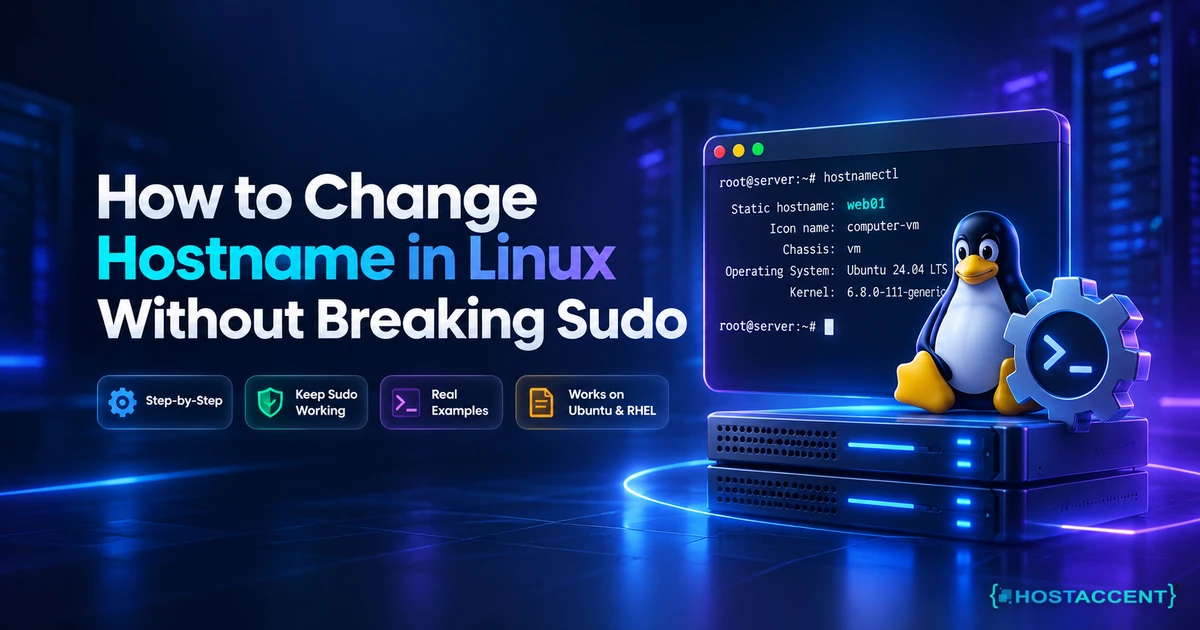
You ran one command, and now every sudo you type prints a complaint before it does anything useful:
bashsudo: unable to resolve host web01: Name or service not known
The command still works. It just pauses, grumbles, and leaves you wondering what you broke.
Nothing is broken. You changed one file and left the other one behind.
Quick Answer: How to change hostname in Linux permanently: run sudo hostnamectl set-hostname new-name, then edit /etc/hosts and replace the old name on the 127.0.1.1 line with the new one. No reboot is required. The hostnamectl command writes /etc/hostname for you, but it never touches /etc/hosts, and that second file is what sudo reads.
That single missing line is behind about half the hostname tickets that reach our queue. Hostaccent's engineers work through 20-30 client server issues a day, and this one always arrives in the same shape: the rename worked, the warning appeared, and the person who ran it is now convinced they have locked themselves out of root. You haven't. This guide is the fix we walk customers through, written so you can do it yourself in under two minutes on Ubuntu, Debian, Rocky, AlmaLinux or anything else running systemd.
One thing worth knowing before you start. The name you pick matters more than most tutorials admit. A hostname with an underscore, a space, or a trailing dot passes without complaint and then quietly breaks mail delivery weeks later. All commands below were checked against current systemd behaviour as of September 2026.
What Your Linux Hostname Actually Is (Static, Pretty, and Transient)
Your server has three hostnames, not one. systemd tracks them separately, and confusing them is why renames feel unpredictable.
A static hostname lives in /etc/hostname, is capped at 64 characters, and may contain only letters, digits and hyphens. It is the name the kernel adopts at boot. The pretty hostname sits in /etc/machine-info, is purely cosmetic, and happily accepts spaces and apostrophes. The transient hostname arrives from network configuration such as DHCP, and it is ignored whenever a valid static hostname exists.
Run hostnamectl on its own and all three appear, along with the machine ID, chassis type and kernel version. The systemd-hostnamed service documentation sets out exactly where each value is stored and which one takes precedence.
Then there is the file nobody puts in the opening paragraph of a tutorial: /etc/hosts.
Think of it this way. /etc/hostname answers "what is this machine called?" /etc/hosts answers something different: "when this machine looks up its own name, what address should come back?" Nothing in Linux keeps those two answers in step for you. Change one, skip the other, and the machine stops recognising itself.
On Debian and Ubuntu the convention is a dedicated 127.0.1.1 line for the machine's own name, kept separate from the 127.0.0.1 localhost line. On RHEL, Rocky and AlmaLinux the name is usually appended to the 127.0.0.1 line instead. Both approaches work. What matters is that the current name appears somewhere in that file.
Short name or fully qualified name?
A short name like web01 identifies the box on your own network. A fully qualified domain name like web01.example.com identifies it on the public internet. Any server that sends mail, runs a control panel, or presents a certificate wants the FQDN as its static hostname. A laptop does not care either way.
The naming rules are older than Linux and stricter than most people expect. Under RFC 1123's host naming rules, each label may use letters, digits and hyphens only, must not begin or end with a hyphen, and is limited to 63 characters, with the complete FQDN capped at 253. Underscores are not allowed, however common they are in internal naming schemes.
Pro Tip:
hostnamectlwill acceptweb_01without a murmur, because it enforces its own length limit and little else. Postfix, Exim and most TLS libraries will not be so relaxed. If a rename ever breaks mail three weeks later for no visible reason, check for an underscore before you check anything else.
Cloud images make all of this worse by shipping with names like ubuntu-2gb-fsn1-1 or localhost.localdomain. That name ends up in your logs, your monitoring dashboard, your backup paths and your outgoing mail headers. Renaming early costs you two minutes. Renaming after six months of history costs considerably more.
How to Change Hostname in Linux with hostnamectl (Step by Step)
Two commands and one file edit. On any systemd distribution released in the past decade the whole job takes under two minutes and needs no restart.
Step 1: see what you have.
bashhostnamectl cat /etc/hostname cat /etc/hosts
Write down the old name exactly as it appears, including any domain suffix. You need it in step 3.
Step 2: set the static hostname.
bashsudo hostnamectl set-hostname web01.example.com
That single command writes the /etc/hostname file and tells the running kernel at the same time. To change hostname permanently on Ubuntu, Debian, Rocky, AlmaLinux or Fedora, this is the entire first half of the job.
Step 3: update /etc/hosts, the step almost everyone skips.
bashsudo nano /etc/hosts
Make it look like this, substituting your own values:
bash127.0.0.1 localhost 127.0.1.1 web01.example.com web01 203.0.113.10 web01.example.com web01
Put the fully qualified name first on each line and the short name second. That order is what makes hostname -f return the FQDN rather than the short form.
Step 4: verify.
bashhostname hostname -f getent hosts $(hostname) hostnamectl status
getent hosts is the honest test here, because it queries the same resolver stack that sudo uses. If it returns a line, you are finished. If it returns nothing at all, step 3 did not take.
Step 5: restart whatever cached the old name.
bashsudo systemctl restart rsyslog sudo systemctl restart postfix
Any long-running service that recorded the hostname at startup keeps using the stale value: syslog, mail, monitoring agents, some application servers. Your shell prompt behaves the same way. Log out, log back in, and it catches up.
Insider Insight: we teach every customer the same habit and we call it the Two-File Rule. A hostname change is never one file.
/etc/hostnametells the system its name,/etc/hoststells the system how to find itself, and doing both in the same sitting is how you rename a server without a reboot and without a follow-up ticket an hour later.
Do I actually need to reboot after renaming a server?
No. On systemd, hostnamectl set-hostname changes the running kernel hostname immediately and persists it for the next boot in one action. Rebooting only helps because it restarts every service holding a cached copy, and you can restart those individually in seconds. The one case where a restart genuinely matters is when something outside the operating system is also writing the hostname, which the next section covers.
On a fresh box, do the rename first and follow it with the Linux VPS Security Baseline (Ubuntu 24.04) in 30 Min checklist while the machine is still clean.
Still working through this server issue?
Send the symptoms, error output, and what you have already tried. We can work with Hostaccent services or infrastructure hosted with another provider.
Why Sudo Breaks After a Rename (and the 30-Second Fix)
Sudo resolves the machine's own hostname every single time it runs, both for logging and for matching host patterns in sudoers. When /etc/hosts still carries the old name, that lookup falls through to DNS, and DNS has never heard of web01. You get a warning, a short delay, and then the command executes anyway.
According to the pattern in Hostaccent's support queue through 2026, roughly half of all hostname-change tickets are this one missing line rather than a failed rename. The customer did the difficult part correctly and stopped one file too early.
The sudo unable to resolve host message is a name-resolution complaint, not a permissions failure. Nobody has lost root.
The fix. Open /etc/hosts and make sure the current name appears on a loopback line, exactly as hostname reports it. If you prefer a one-liner, this rewrites the Debian-style line in place:
bashsudo cp /etc/hosts /etc/hosts.bak sudo sed -i "s/^127.0.1.1.*/127.0.1.1\t$(hostname -f) $(hostname -s)/" /etc/hosts
Take the backup first. The sed command replaces the whole line, and on a box where somebody has stuffed extra aliases onto it, you want a copy to compare against.
If no 127.0.1.1 line exists at all, which is normal on RHEL-family systems, append the name instead:
bashecho "127.0.0.1 $(hostname -f) $(hostname -s)" | sudo tee -a /etc/hosts
Why does editing a text file fix this instantly, with no service restart and no DNS propagation? Because of /etc/nsswitch.conf, which on virtually every distribution contains a line reading hosts: files dns. Files come first. The resolver checks /etc/hosts before it ever asks a nameserver, which is also why this fix survives a DNS outage. If you want the wider picture, Cloudflare's explainer on how DNS resolution actually works covers the layer above.
One consequence worth catching early: on servers where the resolver has to time out before giving up, each sudo call can stall for several seconds. That is invisible when you type one command. It is very visible inside a cron job or a deployment script that calls sudo forty times, and it shows up as mysterious latency rather than as an error. If your alerts started firing around the same time as the rename, that is the connection. Anyone running unattended jobs should pair this with Setup Server Monitoring on VPS: Know Before Your Users Do so the next stall surfaces on a dashboard instead of in a customer email.
When hostnamectl Isn't Enough: Cloud Images, Containers, and Old Init Systems
If your hostname reverts to the old value after a reboot, something else on the system is setting it, and that something is usually cloud-init.
Most VPS and cloud images ship with cloud-init running on every boot. Its set_hostname module reapplies the name it was handed by the provider metadata, overwriting your change without warning. Two settings in /etc/cloud/cloud.cfg stop it:
yamlpreserve_hostname: true manage_etc_hosts: false
The first tells cloud-init to leave the name alone. The second matters just as much and is skipped constantly: with manage_etc_hosts left enabled, cloud-init regenerates /etc/hosts from a template at boot and silently reverses the fix from the previous section. Change the name, reboot, and the sudo warning returns as if you had done nothing.
DHCP clients can also push a transient name. hostnamectl status will show a transient value that differs from the static one when this is happening.
Inside containers, hostnamectl fails outright, usually with a D-Bus connection error, because there is no systemd running in the namespace. A container's hostname is set at creation time with docker run --hostname web01, or in the hostname: key of a Compose file. Editing /etc/hostname inside a running container achieves nothing that survives a restart. If containers are new territory, Install Docker on Ubuntu VPS: Secure Production Setup covers the surrounding setup properly.
On genuinely old systems without systemd, the hostname web01 command sets a transient name that dies at reboot. Persistence comes from /etc/hostname plus hostname -F /etc/hostname in an init script, or on legacy RHEL from the HOSTNAME= line in /etc/sysconfig/network. The hostnamectl manual page documents the modern flags including --static, --transient and --pretty, which let you set each value independently when you need to.
Pro Tip: cloning a Proxmox or KVM template gives you two machines with the same hostname and, worse, the same
/etc/machine-id. Duplicate machine IDs make DHCP hand both boxes the same lease, and the symptom looks like a flapping network rather than a naming problem. On a cloned VM, truncate/etc/machine-id, runsystemd-machine-id-setup, then set the hostname. In that order.
Application servers deserve a mention too. A Node process started under PM2 before the rename keeps reporting the old name in its logs until you restart the process list, which is one more reason the Deploy Node.js App on Linux VPS: PM2 + Nginx Beginner Guide workflow ends with a save and reload rather than assuming the environment refreshes itself.
What Else Changes When You Rename a Server: Mail, Panels, Monitoring and Backups
The rename itself is instant. The consequences arrive over the following week, which is why they rarely get connected back to the cause.
Across the 4,000+ site migrations Hostaccent has run since 2016 (UK-incorporated 2018), the follow-up ticket after a server rename is almost always about mail. Postfix reads myhostname, Exim reads primary_hostname, and both use that value as the HELO name when greeting a remote mail server. If the HELO name no longer matches the PTR record on your IP, receiving servers treat the mismatch as a spam signal. Sending stops working, or half works, and nothing in the mail log says "hostname".
Fix the reverse DNS at the same time you rename. Ask your provider to update the PTR record for the IP so it matches the new FQDN, then confirm with dig -x 203.0.113.10 +short.
Control panels are the one place not to use hostnamectl. cPanel/WHM and Plesk store the hostname in their own configuration and tie licence validation to it. Renaming underneath a panel leaves the two out of step, and the panel may refuse to start or report a licence error. Use WHM's own Change Hostname tool, or the Plesk equivalent, and let it update the system files for you.
While we are here, a myth worth killing: renaming the server does not touch the SSL certificate on your website. That certificate is issued for your domain, not for the machine name, so the site keeps loading normally. What does need reissuing is the panel's own service certificate, the one covering web01.example.com:2087, because that name genuinely changed.
Three quieter breakages to check:
- Monitoring. Most agents key metrics by hostname. After a rename, the dashboard shows a dead host and a brand new one with no history. Update the agent identity in the same maintenance window.
- Backups. Rsync destinations, Borg repository names and retention scripts frequently include
$(hostname)in the path. Rename the server and tonight's backup lands in a new empty folder while your retention policy quietly ages out the old one. Worth reviewing alongside Linux VPS Backup Automation with Rsync + Cron. - MariaDB. Grants written as
'user'@'oldhost'stop matching, and the default error log filename is derived from the hostname, sooldhost.errstops growing and a new file appears. If PHP applications start throwing access-denied errors after a rename, check the grant table before you touch anything in Nginx + PHP-FPM Performance Tuning on Linux VPS.
The short version, if you remember nothing else:
- Every hostname change touches two files,
/etc/hostnameand/etc/hosts. - The sudo warning is a resolution problem, never a permissions problem.
- No reboot is needed, but cached services and your shell prompt need a nudge.
- If the name reverts, cloud-init is rewriting it, and
manage_etc_hostsis rewriting your fix too. - Mail, panels, monitoring and backups all inherit the name. Check them the same day.
Your Next Step: A Server Where Root Is Genuinely Yours
Now that you know how to change hostname in Linux without leaving /etc/hosts behind, the harder question is whether your provider actually lets you work this way. You can spend a weekend wrestling a locked-down box, or start on one where the shell is yours from the first minute. We have served 10,000+ clients since we began hosting in 2016 (UK-incorporated 2018), every plan carries a 99.99% uptime guarantee, free 30 Gbps DDoS protection and a 30-day money-back guarantee, and our own engineers answer support. One honest caveat: no cPanel or Plesk licence is bundled on a Hostaccent VPS, because commercial panel licences run $30+/mo on their own and nobody gives that away under $10. You get full root access instead. Start on the Basic Linux VPS plan at Basic, $7.99/mo, renewing at $7.99/mo.
Frequently Asked Questions About Changing a Linux Hostname
How to change hostname in Linux permanently without a reboot?
Run sudo hostnamectl set-hostname new-name.example.com, then edit /etc/hosts and replace the old name on the loopback line with the new one. The kernel picks up the change immediately and systemd persists it for the next boot, so no restart is needed. Restart services that cached the old name, typically rsyslog and your mail server, and log out and back in so your shell prompt refreshes.
Why does sudo say "unable to resolve host" after I rename my server?
Sudo looks up the machine's own hostname on every invocation, for logging and for host matching in sudoers. When /etc/hosts still contains the previous name, that lookup fails and falls through to DNS, which has no record of a private machine name. The result is a warning and a short delay, not a permissions failure. Adding the current name to a loopback line in /etc/hosts clears it instantly.
Should my server hostname be an FQDN or just a short name?
Use a fully qualified name for any server that sends mail, runs a control panel, or presents a certificate, because those systems compare the hostname against DNS and reverse DNS records. On the servers Hostaccent builds, the static hostname is an FQDN on a subdomain we do not host sites on, such as srv1.yourbrand.net, which keeps licensing and mail happy while leaving your customer-facing domains completely independent of the machine name.
Will changing the hostname break my SSL certificate?
Your website certificate is issued for your domain name, not for the machine's hostname, so the site keeps loading normally after a rename. What does need attention is any certificate issued specifically for the old hostname, most commonly a control panel's service certificate on port 2087 or 8443, and any monitoring or mail service presenting the machine name. Reissue those against the new FQDN once reverse DNS matches.
Why did my hostname revert to the old one after rebooting?
Cloud-init is almost certainly reapplying the name from provider metadata on every boot. Set preserve_hostname: true in /etc/cloud/cloud.cfg to stop it. Set manage_etc_hosts: false in the same file as well, because when that option is left enabled cloud-init regenerates /etc/hosts from a template at boot and quietly undoes your edit, which brings the sudo warning straight back after a restart.
Can I use an underscore or a dot in a Linux hostname?
Dots are fine and expected in a fully qualified name such as web01.example.com. Underscores are not permitted by the internet host naming rules, even though hostnamectl accepts them without complaint. Mail servers and TLS libraries enforce the rule that systemd does not, so an underscore typically breaks outbound mail or certificate issuance weeks later, long after anyone remembers the rename. Stick to letters, digits and hyphens.




Discussion
Have a question or tip about this topic? Share it below — your comment will appear after review.